
Free Image to Image AI Generator Online (No Sign-Up)
Upload a photo, describe your desired changes, and let advanced diffusion AI transform it. Free daily allowance, no watermark, no login required.

Edit, Restyle, and Transform Photos with AI
Upload any photo and describe the changes you want. The AI keeps the original composition while applying your edits — new lighting, different art styles, colour grading, or complete visual transformations. No design skills needed. Not sure how to describe your edit? Run your idea through our AI prompt booster first.
Image to Image AI Explained: Restyle, Transform, and Edit Photos Without Sign-Up
Image to image AI (img2img) is an advanced neural editing framework that transforms existing photos while strictly preserving their structural geometry and compositional skeleton. Instead of synthesizing entirely from random noise, the image-to-image diffusion pipeline ingests your uploaded photograph as an initial conditioning tensor, calculating pixel-level depth, edge boundaries, and subject poses. The AI then repaints the visual details according to your prompt instructions, enabling seamless stylistic metamorphosis—from turning real-life portraits into anime characters to transforming day scenes into cinematic cyberpunk nightscapes.
Our free image to image suite incorporates dual specialized diffusion models to match your creative intent. FLUX.2 Klein is optimized for global artistic restyling, making it the premier free AI photo style changer for turning casual selfies into studio portraits, oil paintings, or 3D animations without facial distortion. For surgical, targeted modifications, Qwen Image Edit Plus allows you to add or delete objects, change outfits, or alter backgrounds while keeping the primary subject untouched. Both models provide daily free runs without requiring registration or watermarking.
For e-commerce merchants and creators, image-to-image AI revolutionizes product photography workflows. Sellers can capture a product once on a clean table and use the AI photo editor to generate dozens of commercial backgrounds—luxurious marble counters, rustic wooden tables, or minimalist studio environments—saving thousands in studio fees. Social media managers can generate cohesive avatars and themed campaign graphics in seconds. When background swaps produce minor edge artifacts, finalize your cutout with our automated AI background remover for a crisp, transparent PNG.
Two Models, Two Ways to Edit
FLUX.2 Klein restyles the whole image beautifully; Qwen Image Edit+ makes targeted structural changes. Pick by what you are trying to change.
FLUX.2 Klein
High qualityGeneral img2img
Qwen Image Edit+
Advanced editingAdvanced editing
What is Image to Image AI?
Image to Image AI is a free online AI photo editor that lets you transform photos using artificial intelligence. Upload a picture and describe the changes you want — whether that is turning a photo into anime, applying a watercolor painting style, or shifting the colour palette entirely — and the AI edits the image while keeping the original composition intact. It is the natural next step after text to image AI: instead of building an image from scratch, you start with a photo you already have and use image to image AI to restyle, enhance, or transform it into something new.
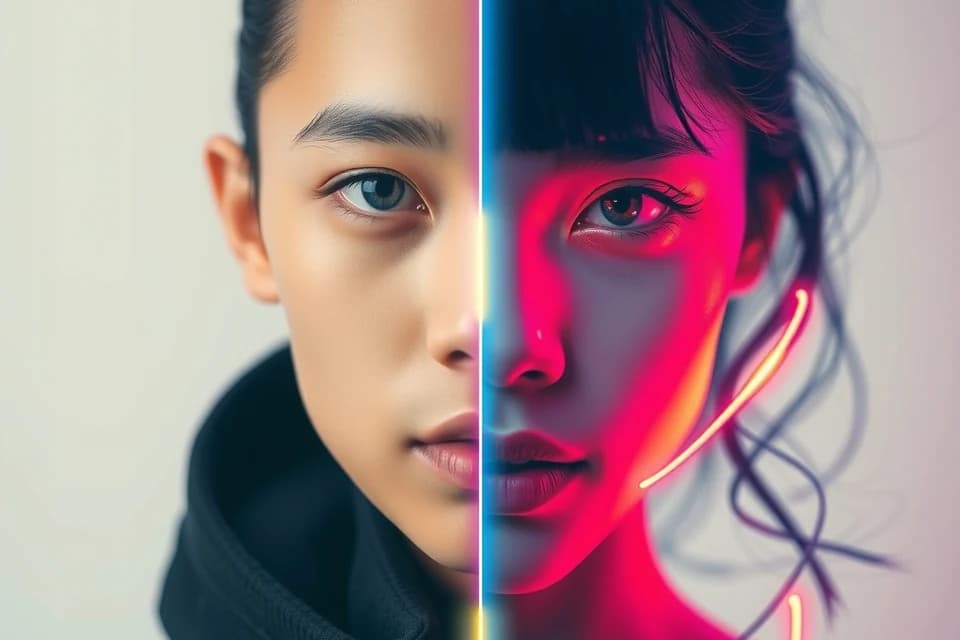
Image-to-Image Prompt Ideas to Try
Describe the change you want, and the AI edits your photo while keeping the original composition. Here are six prompts that work well.
“Convert this photo into a vibrant anime illustration, clean line art, expressive eyes, studio lighting, high detail”
Upload a portrait and let the AI redraw it in anime style — one of the most popular image-to-image edits.
“Restyle this photo as a flat vector cartoon illustration, bold outlines, bright colors, playful look”
“Keep the person exactly as they are, replace the background with a tropical beach at sunset, soft golden light”
The AI keeps the subject and composition intact while swapping the scene.
“Apply a cinematic teal and orange color grade, dramatic lighting, film grain, movie still look”
“Turn this photo into a soft watercolor painting, delicate washes, paper texture, dreamy atmosphere”
“Place the product on a clean marble surface, soft studio lighting, minimal background, professional product photography”
What Makes Image to Image AI Stand Out?
Turn Photos into Anime, Art, and New Styles
This free image to image AI tool restyles portraits into anime, watercolor, oil painting, cartoon, and more with one prompt. Use it as a free photo editor online that keeps the subject intact while shifting every other aspect of the image — lighting, colour, mood and texture.
AI Photo Editor Online — Free to Try, No Payment Needed
No credit card, no downloads, no watermark. Sign in for free to unlock your daily credits, then transform photos as often as you like — change photo style, swap backgrounds, or apply filters — and download the full-resolution result.
Two Models for Every Kind of Photo Edit
FLUX.2 Klein handles beautiful whole-image restyles and is the best free AI photo style changer for artistic transformations. Qwen Image Edit+ reasons about the picture for targeted changes like adding or removing objects. Pick the model that matches the edit you are trying to make.
What Image to Image AI Can Do for You
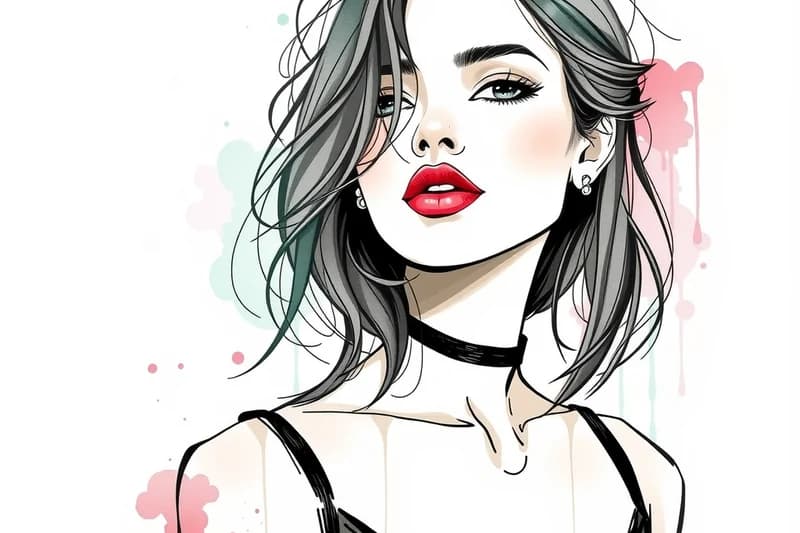
Turn Photo into Anime and Art Styles
Restyle portraits into anime, watercolor, oil painting, or cartoon illustration using this free image to image AI tool. It is one of the most popular ways to use a free AI photo editor online — upload a portrait, describe the anime style you want, and the AI transforms the photo while keeping the original face and composition. This free photo editor AI runs entirely in your browser with no payment needed. For the base image, try our free AI image generator.

Change Photo Style and Colour Grade
Use this picture to picture AI tool to change the style of a photo — apply cinematic teal and orange grading, warm golden tones, or a vintage faded look. The AI keeps every object and face in place while shifting the entire mood. Transform photo aesthetics without reshooting or learning design software.

Swap Backgrounds and Restyle Product Photos
Keep the subject exactly as it is and replace the background with a new scene — a studio backdrop, a tropical beach, a clean white surface. This is how many sellers use image to image AI free tools to transform product photos without reshooting. For the cleanest cutout, run the photo through our AI background remover first.
How to Use Image to Image AI to Transform Photos
Upload your image
Upload any photo — portraits, product shots, old pictures, or casual snaps. The AI photo editor works directly in your browser with no account, no watermark, and nothing to install.
Describe the photo style change
Tell the AI what to change: turn the photo into anime, apply a watercolor painting style, swap the background, or apply a cinematic colour grade. Choose FLUX.2 Klein to restyle the whole photo — it is the best free AI photo style changer for artistic transformations — or Qwen Image Edit+ for targeted edits like adding or removing an object.
Download your transformed photo
Preview the result and download it at full resolution with no watermark. Free users get a daily allowance of images to transform — sign in to raise it to 7 a day, or upgrade for unlimited image credits.
Free Image to Image AI — Turn Photo into Anime, Restyle Any Image
Transform any photo with free image to image AI — turn photos into anime, change photo style, swap backgrounds, or apply artistic filters. This free AI photo editor online runs in your browser with no credit card and no watermark — sign in for free to unlock your daily credits.