
AI Prompt Booster – Enhance Your Image Prompts Free
Paste a rough idea and get a detailed, professional prompt that unlocks the full quality of FLUX, Midjourney and Stable Diffusion. Free, no sign-up.

What Is an AI Prompt Booster?
An AI prompt booster rewrites a short, vague idea into a detailed, structured prompt that image models understand better. It expands your sentence with subject details, style descriptors, lighting, composition and quality tags — the same ingredients professional prompt engineers use — so FLUX, Midjourney and Stable Diffusion have everything they need to generate a great image on the first try. You type a rough idea such as 'a castle at sunset', the booster rewrites it into a production-ready prompt with lighting, composition and camera terms, and you paste that prompt into any AI image generator — including our free text to image tool. It is the fastest way to learn what makes a great AI art prompt without studying prompt engineering — just type your idea and copy the result. turn vague ideas into detailed prompts
Before & After: See What Prompt Boosting Does
Here is how the booster transforms a plain idea into a prompt that unlocks real quality.
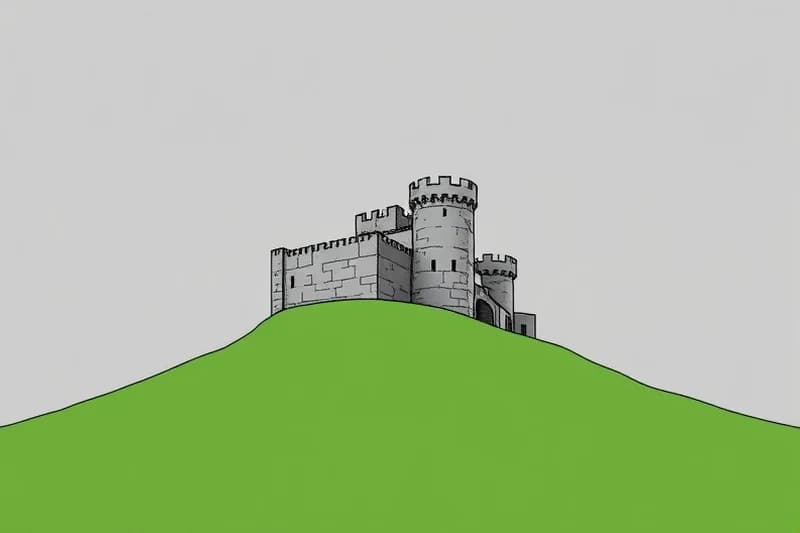
“a castle at sunset”
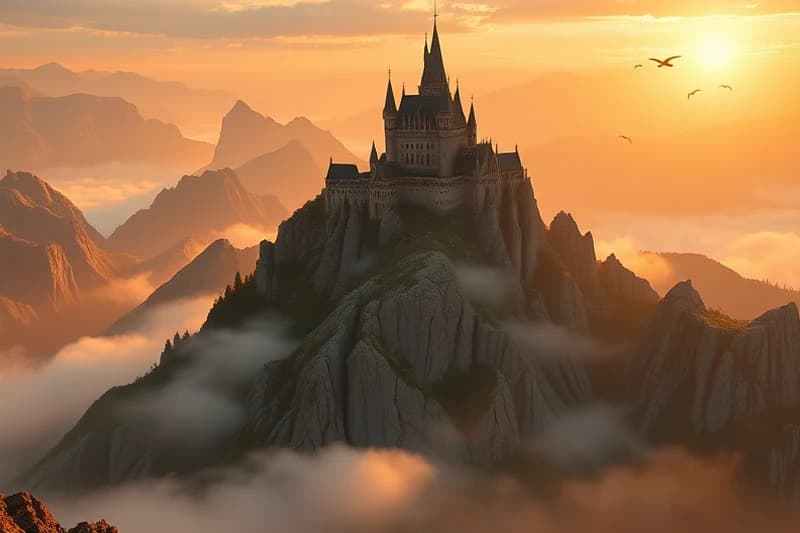
“A majestic medieval castle on a rocky hilltop at golden hour, dramatic warm sunlight breaking through scattered clouds, lush green valley below, volumetric light, cinematic wide shot, ultra detailed, 8k, professional photography”
Adding a location, time of day, lighting and composition instantly lifts the result.
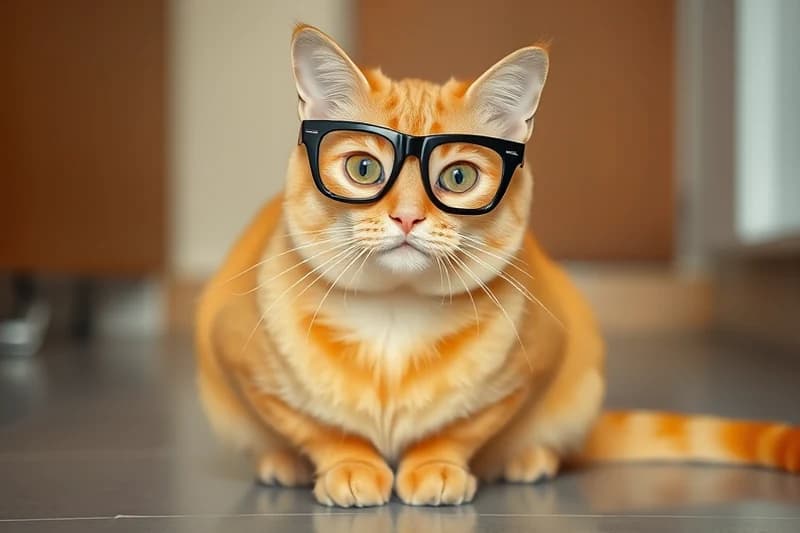
“cute cat”
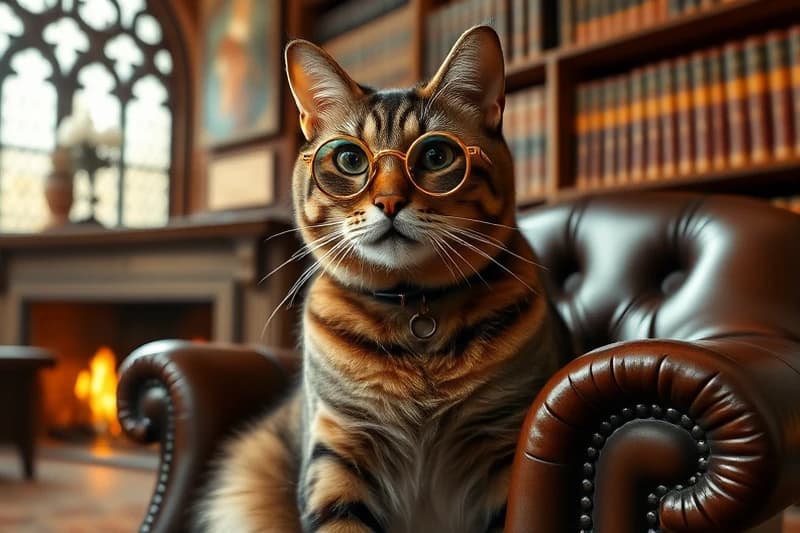
“Adorable fluffy kitten portrait, soft studio lighting, cream background, shallow depth of field, whiskers in sharp focus, high detail, photorealistic, 4k”
Subject + lighting + background + camera terms = a much stronger prompt.
“robot”
“Sleek futuristic humanoid robot in a neon-lit cyberpunk city, reflective metallic surface, glowing cyan accents, rain-slicked streets, cinematic composition, octane render, highly detailed”
Style words like 'octane render' steer the model toward a specific look.
“flower painting”
“Impressionist oil painting of sunflowers in a terracotta vase, textured brushstrokes, warm golden palette, soft window light, museum quality, canvas texture”
Medium and art movement descriptors change the whole aesthetic.
The Anatomy of a Great AI Art Prompt
Professional prompt engineering follows a simple pattern: subject first, then style, then details. Start with the main subject, add the medium or style (photorealistic, oil painting, 3D render, anime), describe the lighting and mood, mention the composition, and finish with quality tags like '8k', 'highly detailed' and 'sharp focus'. Our free AI prompt generator automates this process — paste a rough idea and it expands it into a structured prompt that FLUX, Midjourney and Stable Diffusion all respond to better.
The order matters. Image models pay more attention to words that appear early in the prompt, so the subject should always come first. Style and lighting words shape the overall look, while the trailing quality tags push the model toward crisp, finished output rather than a rough draft. A prompt optimizer like this one handles the structure for you, so you can focus on the idea rather than the syntax.
The booster handles all of this automatically. It also keeps the prompt realistic in length — long enough to be detailed, short enough for the model to weigh every word. Once you have a boosted prompt, paste it into our free text to image generator, apply it to image to image edits, or use it with Midjourney and Stable Diffusion. The prompt enhancer output is designed to improve ai prompts across every major image model, so you get better results without learning prompt engineering.
Tips for Writing Prompts That Get Great Results
Combine the booster with these habits and your generations will jump in quality.
Put the subject first
Start with the main subject, then layer style, lighting and composition on top. Models weight early words more heavily.
Add style and medium keywords
Words like 'photorealistic', 'oil painting', '3D render' or 'anime style' change the entire look. The booster adds these automatically.
Use quality tags at the end
Closing tags like '8k', 'highly detailed' and 'sharp focus' push the model toward crisp, finished output.
Which Models Do Boosted Prompts Work With?
Prompt boosting is model-agnostic — the same enriched prompt performs across the most popular image models.
| Option | What you get | Best for |
|---|---|---|
FLUX (Schnell & Klein)Built in | FLUX responds strongly to detailed prompts and rich style descriptors. Boosted prompts are exactly what our free [AI image generator](/) runs on. | Fast, high-quality generations right here on this site |
Midjourney | Midjourney rewards specific, descriptive prompts. Style and mood keywords from a booster help it find the right aesthetic quickly. | Artistic and stylised images |
Stable Diffusion | Detailed prompts give Stable Diffusion a strong starting point for generations and for further fine-tuning workflows. | Custom workflows and experimentation |
How to Boost a Prompt in 3 Steps
From rough idea to production-ready prompt in seconds.
Type your idea
Write a short, rough description — a sentence or two about the image you have in mind.
Let the AI expand it
The booster rewrites your idea into a structured prompt with style, lighting, composition and quality tags.
Copy and use it anywhere
Paste the boosted prompt into our AI image generator, Midjourney, Stable Diffusion or any FLUX-based tool.